.svg)

How to use the online pilgrimage map
01
Sep
,
2025
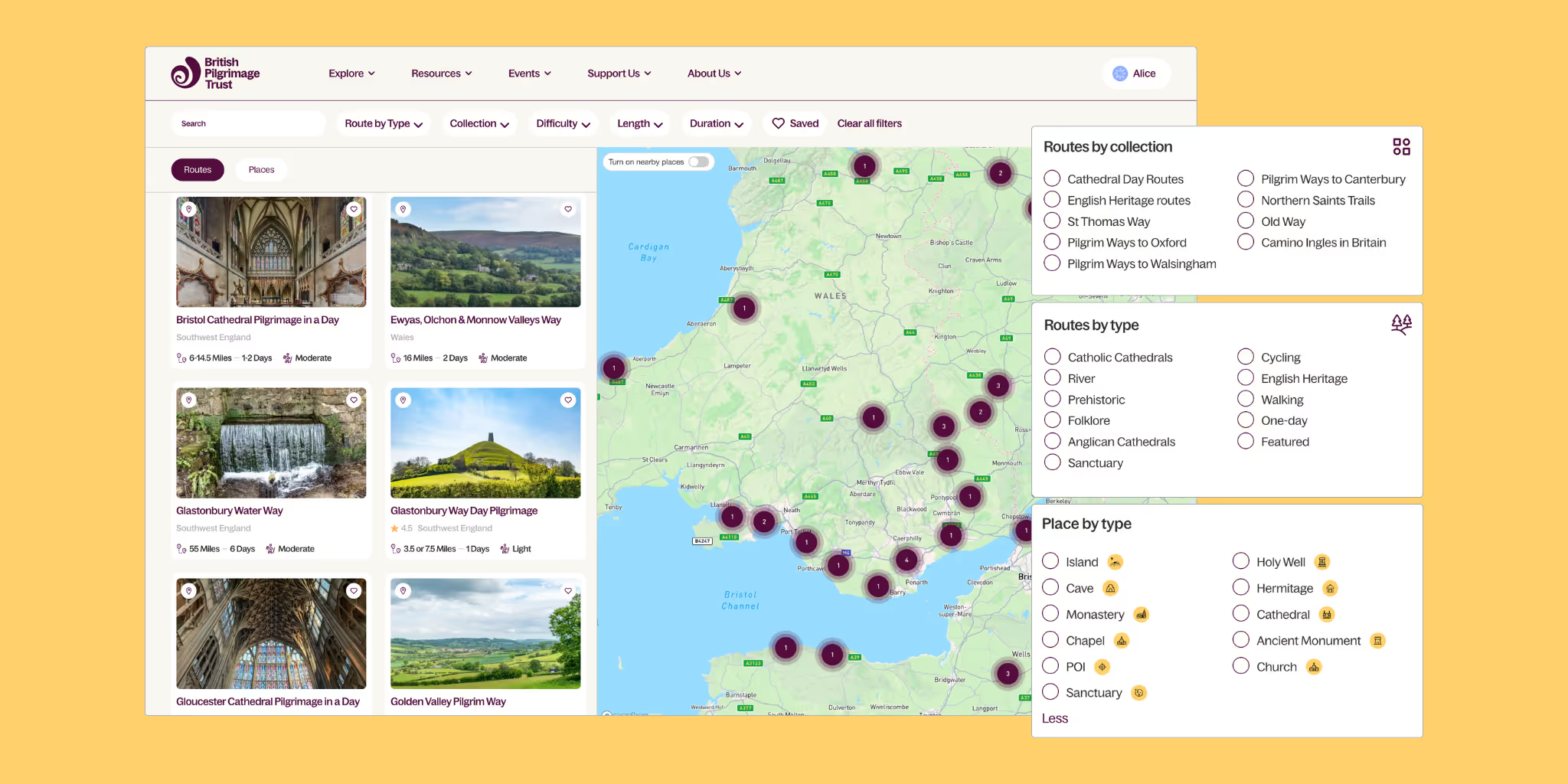


The British Pilgrimage Trust pilgrimage map
Our map is the most comprehensive resource of Pilgrimage routes and places in Britain.
How to search for a pilgrimage route
You can search the map:
- By location (town, city, region); this will allow you to go to a region, or city, that you're interested in. Just type in the name of a place or area you're interested in.
- By route name; use this if you know the precise name of the route. If you don't know the route name, go to the location and turn on "nearby routes" to find routes nearby.
- By place name; this will only search names of sacred places added to our database. If you don't know the place name or you're not sure if it's in our database, name, search by location and turn on "nearby places" to find it.

Once you see a route or place you’re interested in, click the “pin” icon above the route's image to zoom straight there. Then drag and move the map around to follow its route.
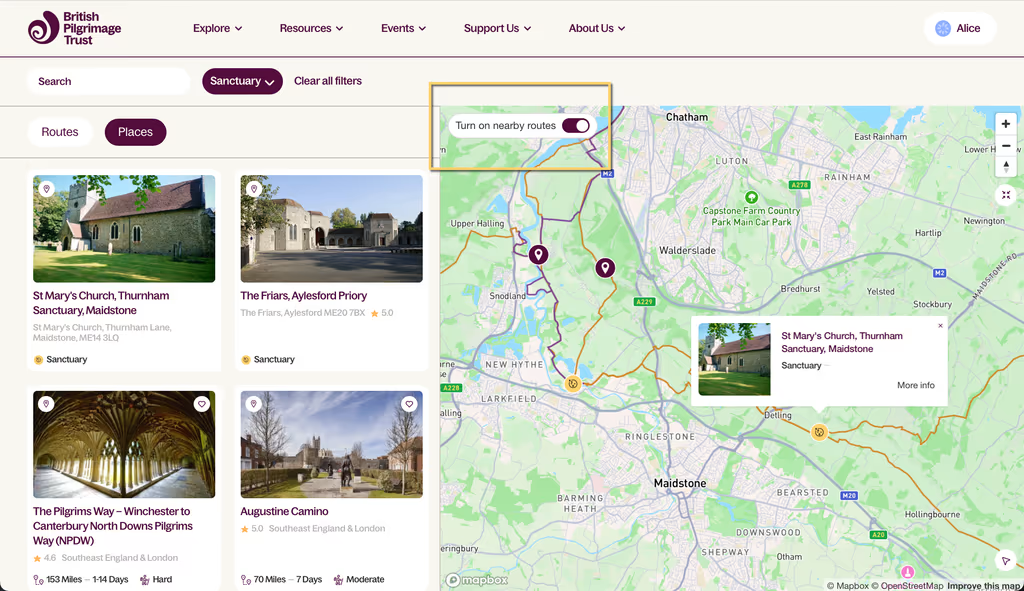
Use the button at the top left of the map to turn on nearby places and see sacred places along the route. The ones in our database will show up with little orange icons.
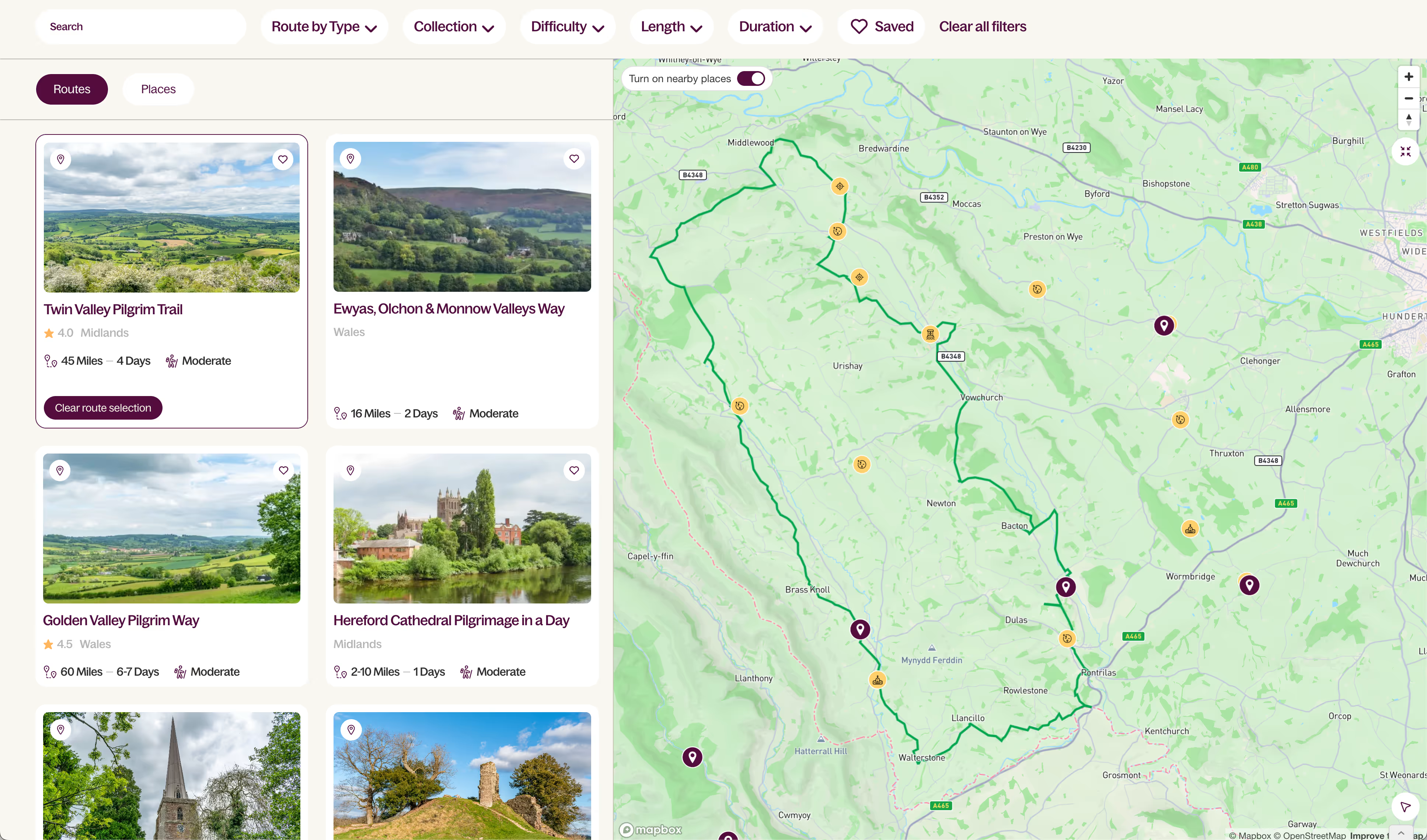
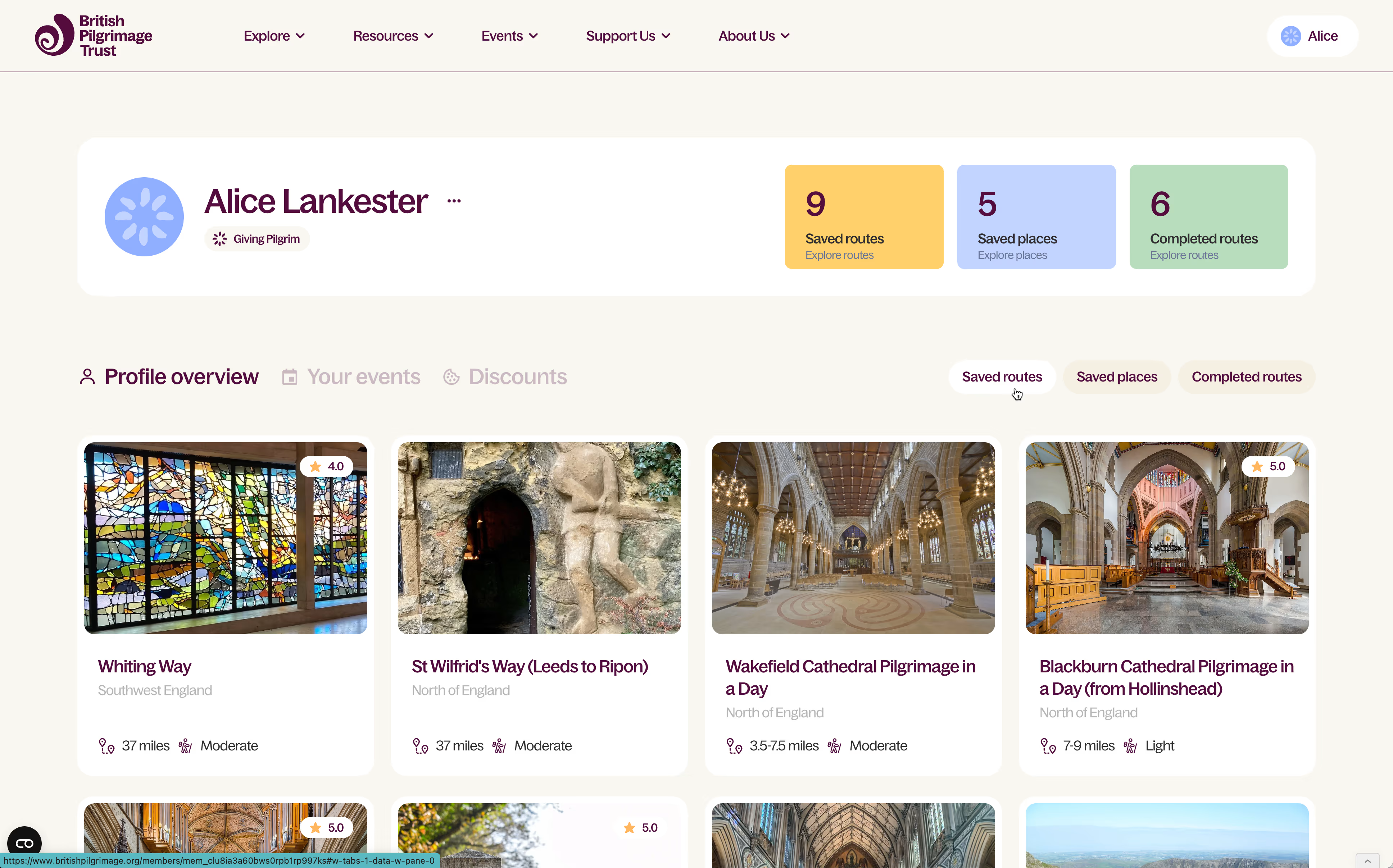
Saving pilgrimage routes and places
Registered pilgrims can save routes and places to their profile. Go to the Be a pilgrim page to sign up.
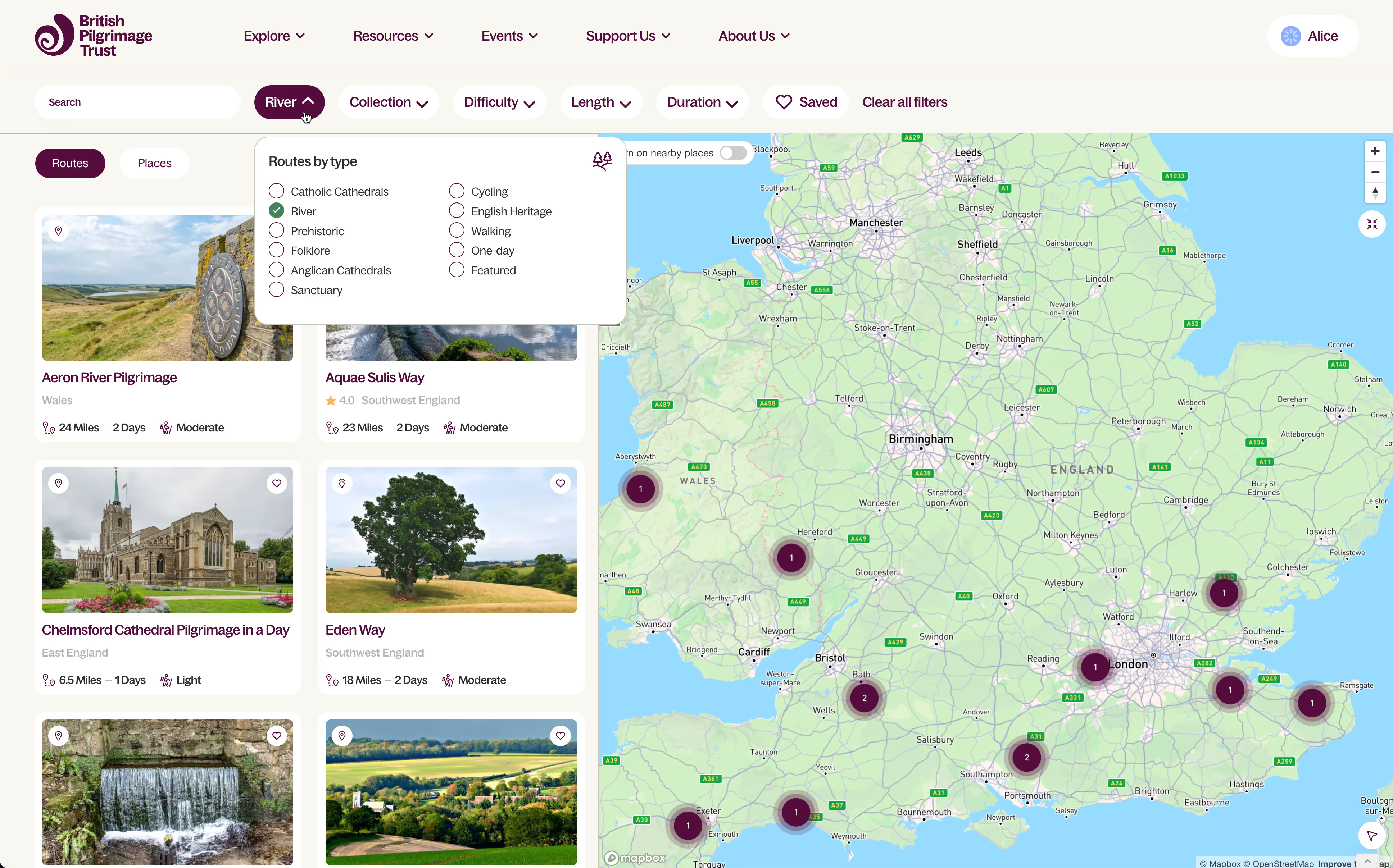
Filtering pilgrimage routes and sacred places on the map
Browse Britain by route and place type
We’ve grouped routes by type, including:
- One-day routes
- Anglican & Catholic Cathedrals
- River routes
- Prehistoric sites
- Folklore
- English Heritage
- Cycling routes
- Sanctuary stays (routes that have Sanctuaries along them)
- Featured routes
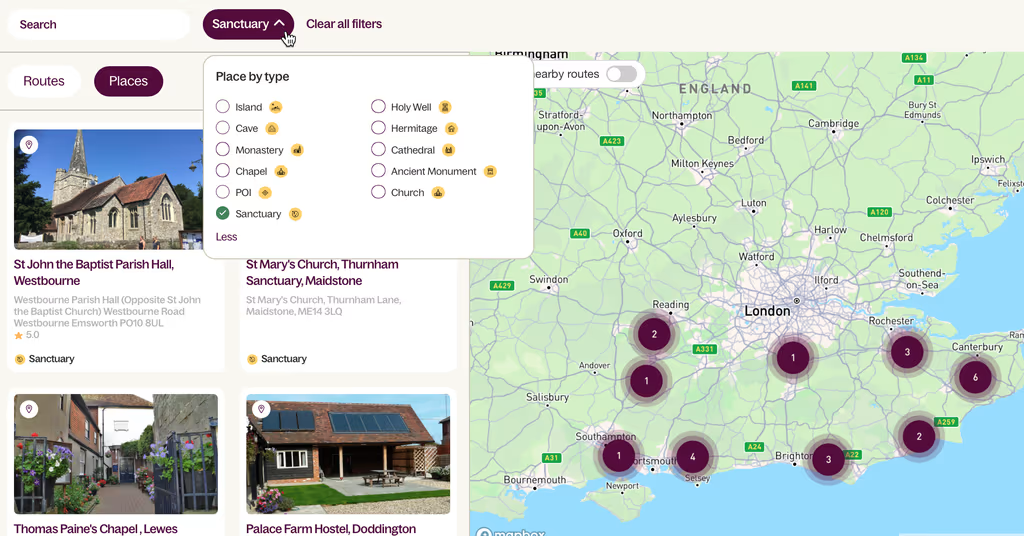
We’ve also grouped places by type, including:
- Island
- Monastery
- Cave
- Chapel
- Sanctuary
- Holy Well
- Hermitage
- Cathedral
- Ancient Monument
- Church
Browse by pilgrimage route collection
We’ve grouped some of our most-loved pilgrim paths into easy-to-browse collections, including:
- Cathedral Day Routes
- English Heritage routes
- St Thomas Way
- Pilgrim Ways to Oxford / Canterbury / Walsingham
- Northern Saints Trails
- Camino Inglés in Britain
- The Old Way
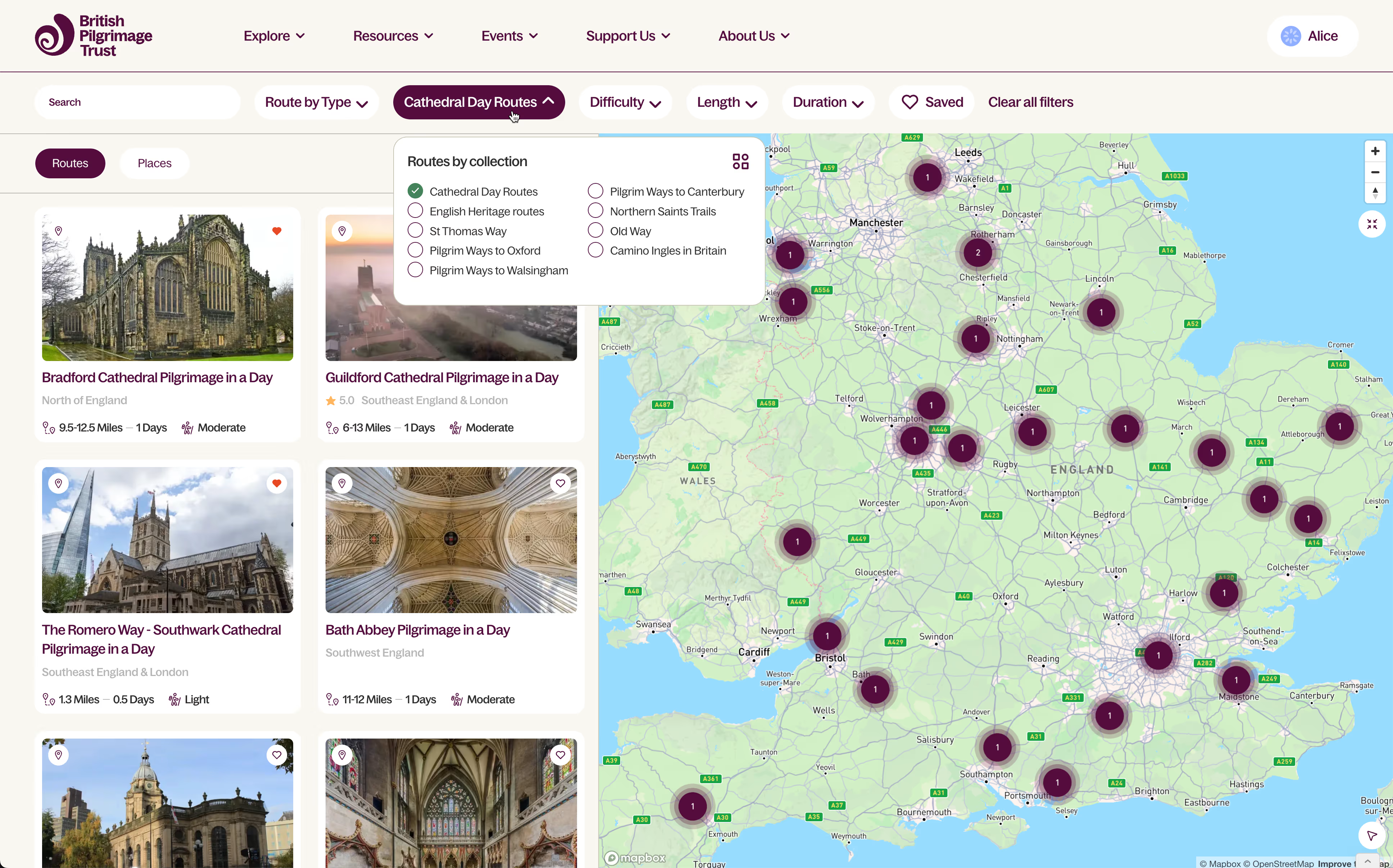
Browse by pilgrimage route features
You can also browse and filter routes by difficulty, length (in miles) and duration (in days).
How to find pilgrimage Sanctuary accommodation
Read more about our Sanctuary network here.
To find a Sanctuary place:
- Visit the map here
- Click on the Places button
- Click on Sanctuary under the Places by Type filter
- Move the map around to an area that interests you — the list on the left will update to reflect Sanctuaries in that area
- Click the button "Turn on nearby route" on the map to update the list on the left, and the map, to reflect both Sanctuaries and nearby routes.
- Additionally, on any route you're interested in, you'll see "Nearby Sanctuaries" listed on the route detail page.
To find a route well serviced by Sanctuaries:
Some routes are considered "Sanctuary" routes, because we've worked hard to find Sanctuary accommodation all along the route.
To find Sanctuary routes:
- Visit the map here
- Click on the Routes button
- Click on Sanctuary under the Routes by Type filter
- Move the map around to an area that interests you — the list on the left will update to reflect Sanctuary routes in that area
- Click the button "Turn on nearby places" on the map to update the list on the left, and the map, to reflect both Sanctuaries and nearby routes.
- Additionally, on any route you're interested in, you'll see "Nearby Sanctuaries" listed on the route detail page.
We’d love your feedback
We're not done yet. We will work hard to make this resource the best it can be. So we'd like to hear from you!
Do fill out our really quick survey — and help shape the next phase of our work.
We are working as hard as we can to add more routes and more places. If there are particular favourites you want to see us add, please email us at hello@britishpilgrimage.org.
We’re a very small team, but we do try to read all your feedback.
Let us know what you find — and what you’d like to find next.

Further reading



.svg)
Comments
0 Comments
Login or register to join the conversation.
Tom Jones
Lorem ipsum dolor sit amet, consectetur adipiscing elit. Suspendisse varius enim in eros elementum tristique. Duis cursus, mi quis viverra ornare, eros dolor interdum nulla, ut commodo diam libero vitae erat. Aenean faucibus nibh et justo cursus id rutrum lorem imperdiet. Nunc ut sem vitae risus tristique posuere.
Tom Jones
Lorem ipsum dolor sit amet, consectetur adipiscing elit. Suspendisse varius enim in eros elementum tristique. Duis cursus, mi quis viverra ornare, eros dolor interdum nulla, ut commodo diam libero vitae erat. Aenean faucibus nibh et justo cursus id rutrum lorem imperdiet. Nunc ut sem vitae risus tristique posuere.